> For the complete documentation index, see [llms.txt](https://help.seoutils.app/llms.txt). Markdown versions of documentation pages are available by appending `.md` to page URLs; this page is available as [Markdown](https://help.seoutils.app/guide/embedding-database.md).
# Embedding Database
The **Embedding Database** feature lets you convert text into mathematical representations (embeddings) that capture semantic meaning. SEO Utils uses these embeddings to find similar content, group related topics, and perform intelligent analysis—even when the exact words don't match.
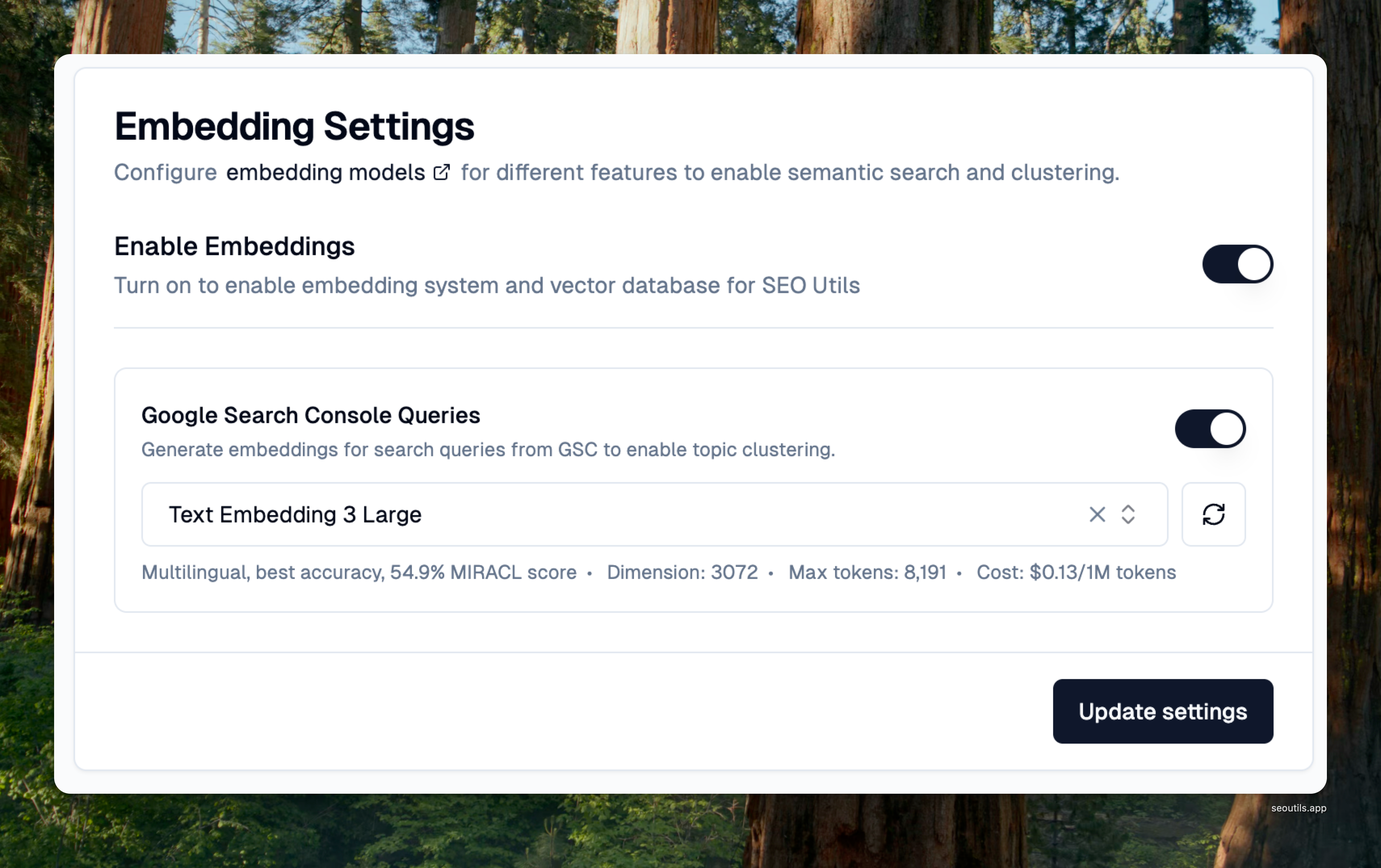
Embedding Settings
With embeddings, you can discover that "best coffee shops NYC" and "top cafes in New York" are semantically similar, enabling smarter content grouping and analysis.
### Why Use Embeddings?
Traditional keyword matching only finds exact or partial text matches. Embeddings understand **meaning**, allowing SEO Utils to:
* Group semantically related search queries
* Find content gaps and opportunities
* Build topical clusters based on actual intent
* Analyze content relationships beyond keywords
### Supported Providers & Models
SEO Utils supports both **paid cloud models** and **free local models**, giving you flexibility based on your needs and budget.
**Cloud Models (OpenAI)**
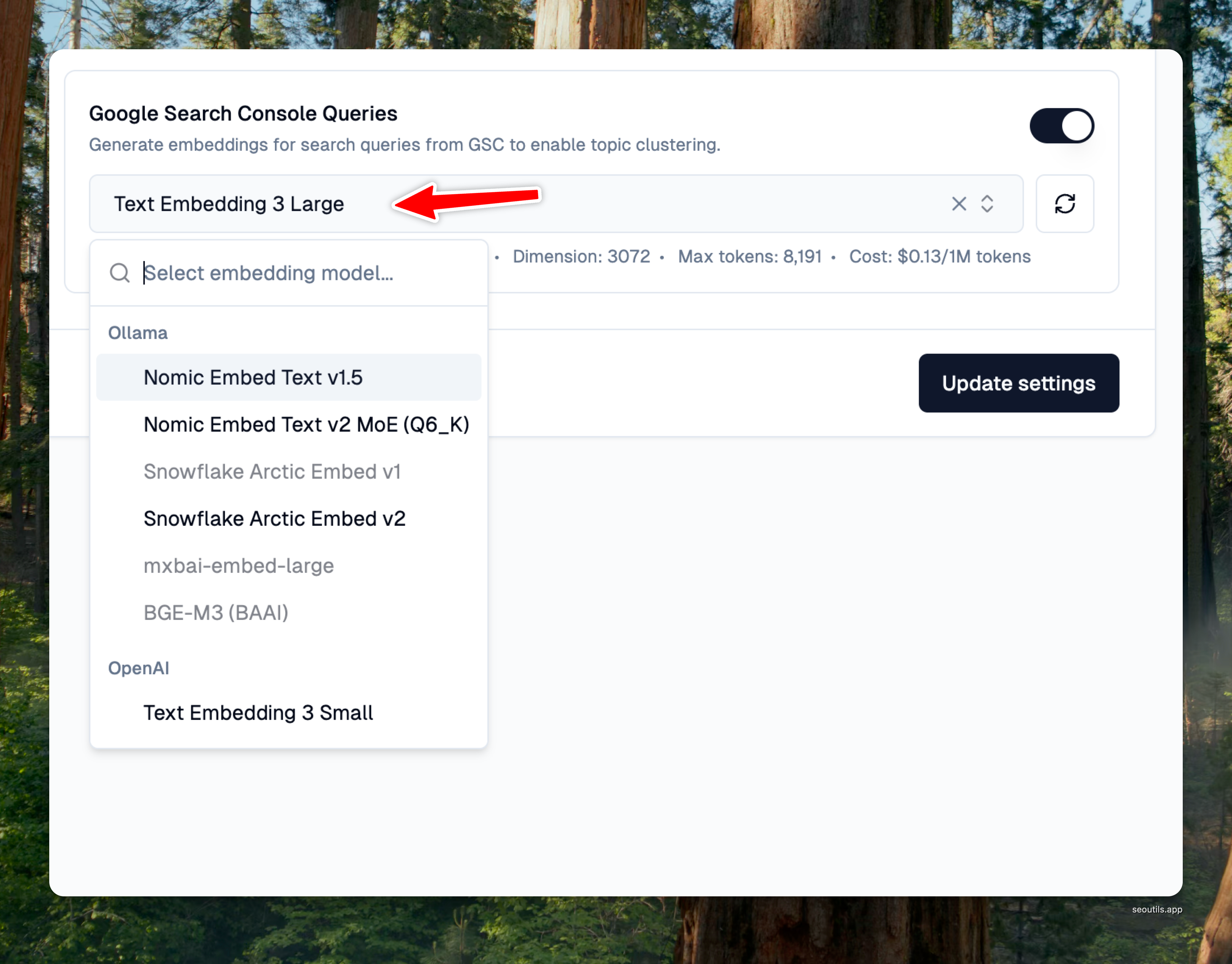
* [**Text Embedding 3 Small**](https://platform.openai.com/docs/models/text-embedding-3-small)**:** Multilingual, highly efficient, 5x cheaper than ada-002. 1536 dimensions, 8191 max tokens ($0.02 per 1M tokens)
* [**Text Embedding 3 Large**](https://platform.openai.com/docs/models/text-embedding-3-large)**:** Multilingual, best accuracy, 54.9% MIRACL score. 3072 dimensions, 8191 max tokens ($0.13 per 1M tokens)
**Local Models (Ollama - Free)**
* [**Nomic Embed Text v1.5**](https://ollama.com/library/nomic-embed-text)**:** English-focused, surpasses OpenAI ada-002 & text-embedding-3-small, local & free. 768 dimensions, 8192 max tokens
* [**Nomic Embed Text v2 MoE (Q6\_K)**](https://ollama.com/toshk0/nomic-embed-text-v2-moe)**:** Multilingual (\~100 languages), MoE architecture, 65.8 MIRACL score, local & free. 768 dimensions, 512 max tokens
* [**Snowflake Arctic Embed v1**](https://ollama.com/library/snowflake-arctic-embed)**:** English-only, 334M BERT, optimized for retrieval, local & free. 1024 dimensions, 512 max tokens
* [**Snowflake Arctic Embed v2**](https://ollama.com/library/snowflake-arctic-embed2)**:** Multilingual, 567M BERT, beats text-embedding-3-large on MTEB, MRL compression, local & free. 1024 dimensions, 8192 max tokens
* [**mxbai-embed-large**](https://ollama.com/library/mxbai-embed-large)**:** English-only, 334M BERT, SOTA for its size, beats text-embedding-3-large, local & free. 1024 dimensions, 512 max tokens
* [**BGE-M3 (BAAI)**](https://ollama.com/library/bge-m3)**:** Multilingual (100+ languages), 567M XLM-RoBERTa, dense+sparse+colbert retrieval, local & free. 1024 dimensions, 8192 max tokens
{% hint style="success" %}
**Understanding Dimensions**
Embedding dimensions represent the size of the vector that stores semantic information. Think of it like image resolution—higher dimensions can capture more detail, but with tradeoffs:
* **768 dimensions**: Fast and efficient, perfect for most keyword clustering and query grouping
* **1024 dimensions**: Balanced performance, better for multilingual content and complex queries
* **1536-3072 dimensions**: Maximum semantic detail, but requires more storage and slower searches
For most SEO tasks, 768-1024 dimensions provide excellent results. Higher dimensions are only needed for highly nuanced semantic analysis or when working with very similar content that requires fine-grained distinctions.
{% endhint %}
{% hint style="info" %}
Local models run entirely on your computer—no API costs, no data sent to external servers. Perfect for privacy-conscious users or those processing large volumes of data.
{% endhint %}
### Enable Embedding Database
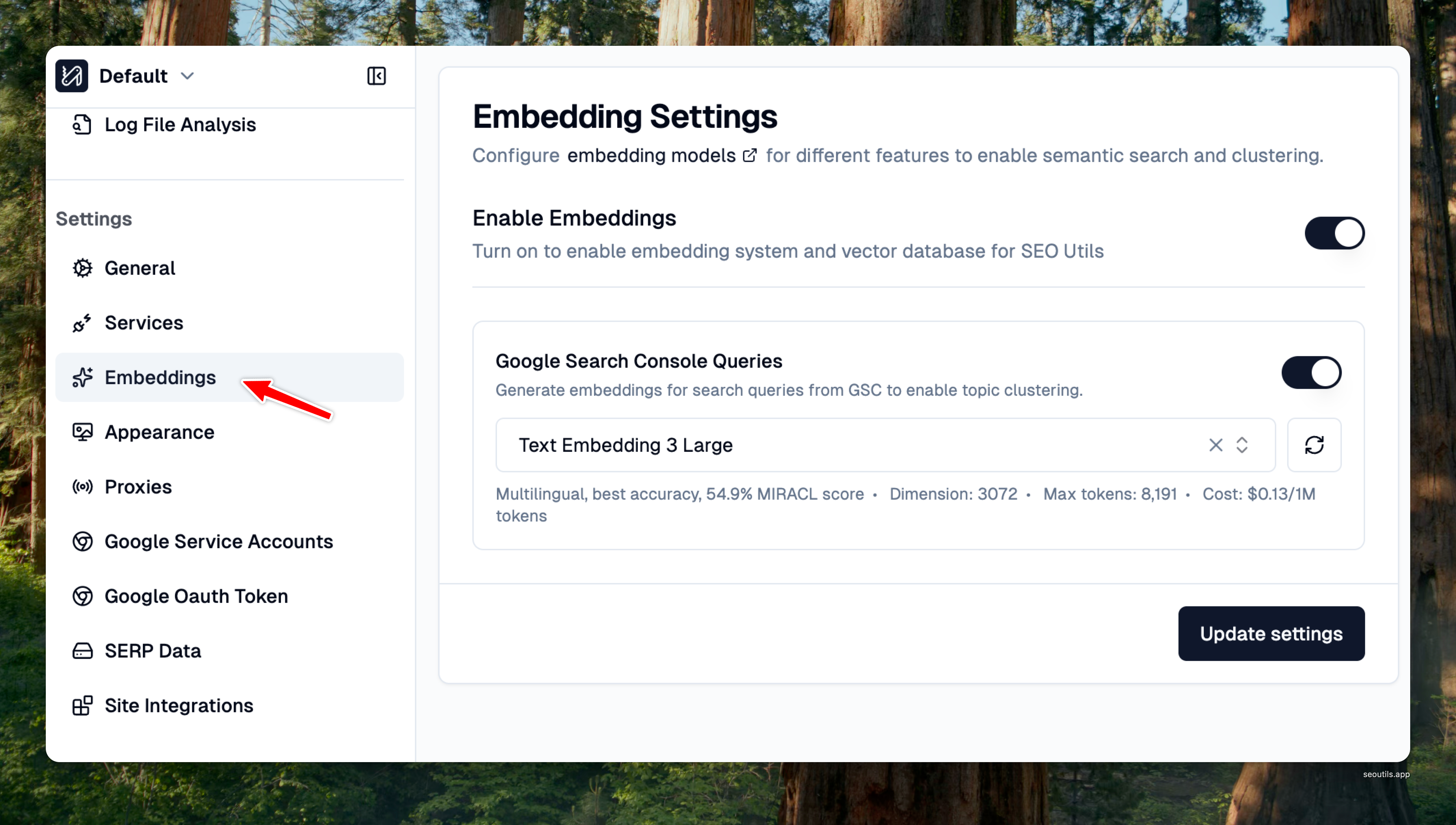
To start using embeddings, head to the left sidebar and click on "**Settings**," then navigate to "**Embedding**".
Access Embedding Settings
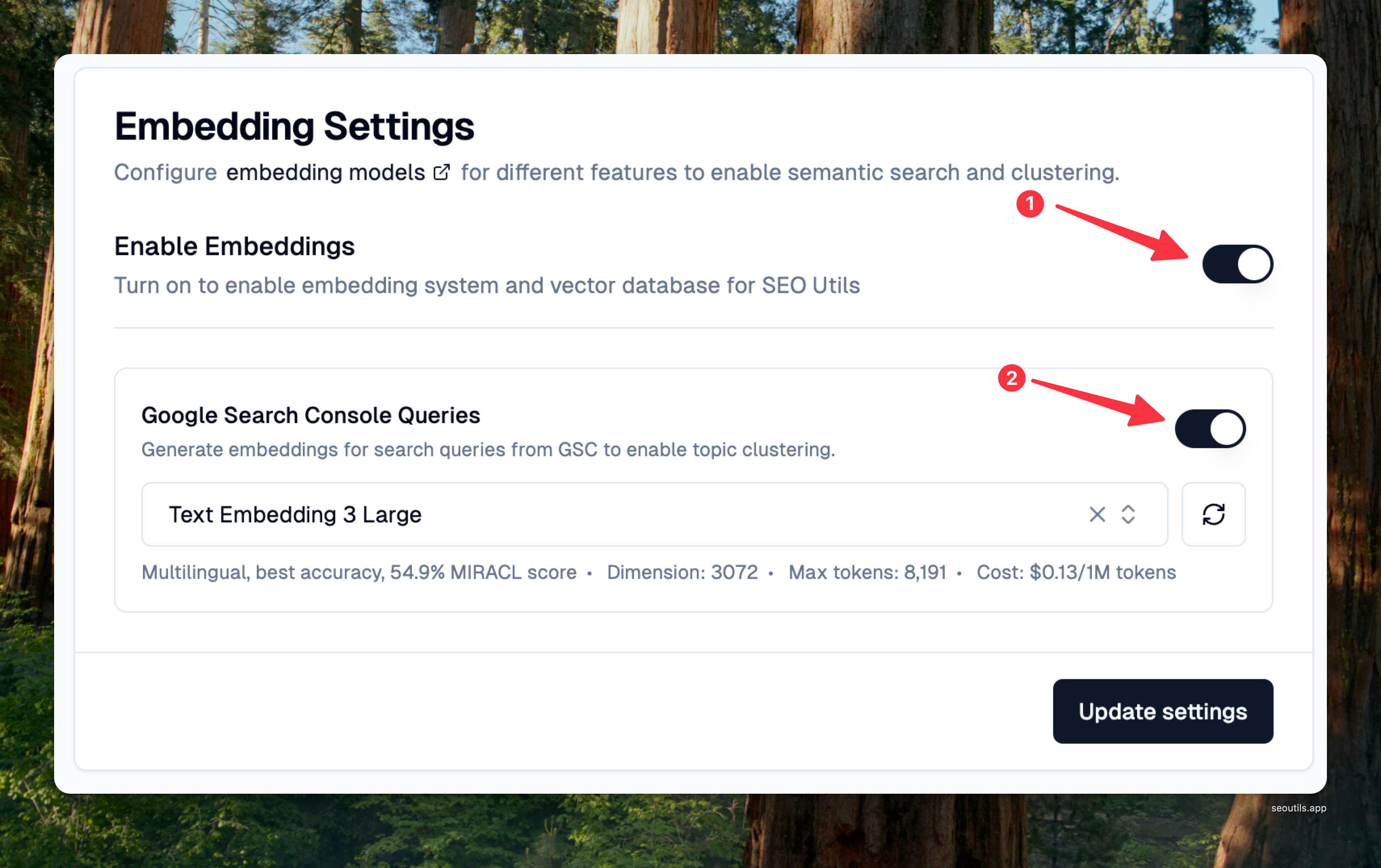
Next, toggle the "**Enable Embeddings**" master switch to activate the embedding system.
Enable the embedding database
Once enabled, you'll see available features that can use embeddings. Each feature can use a different model based on your requirements.
#### For Cloud Models (OpenAI)
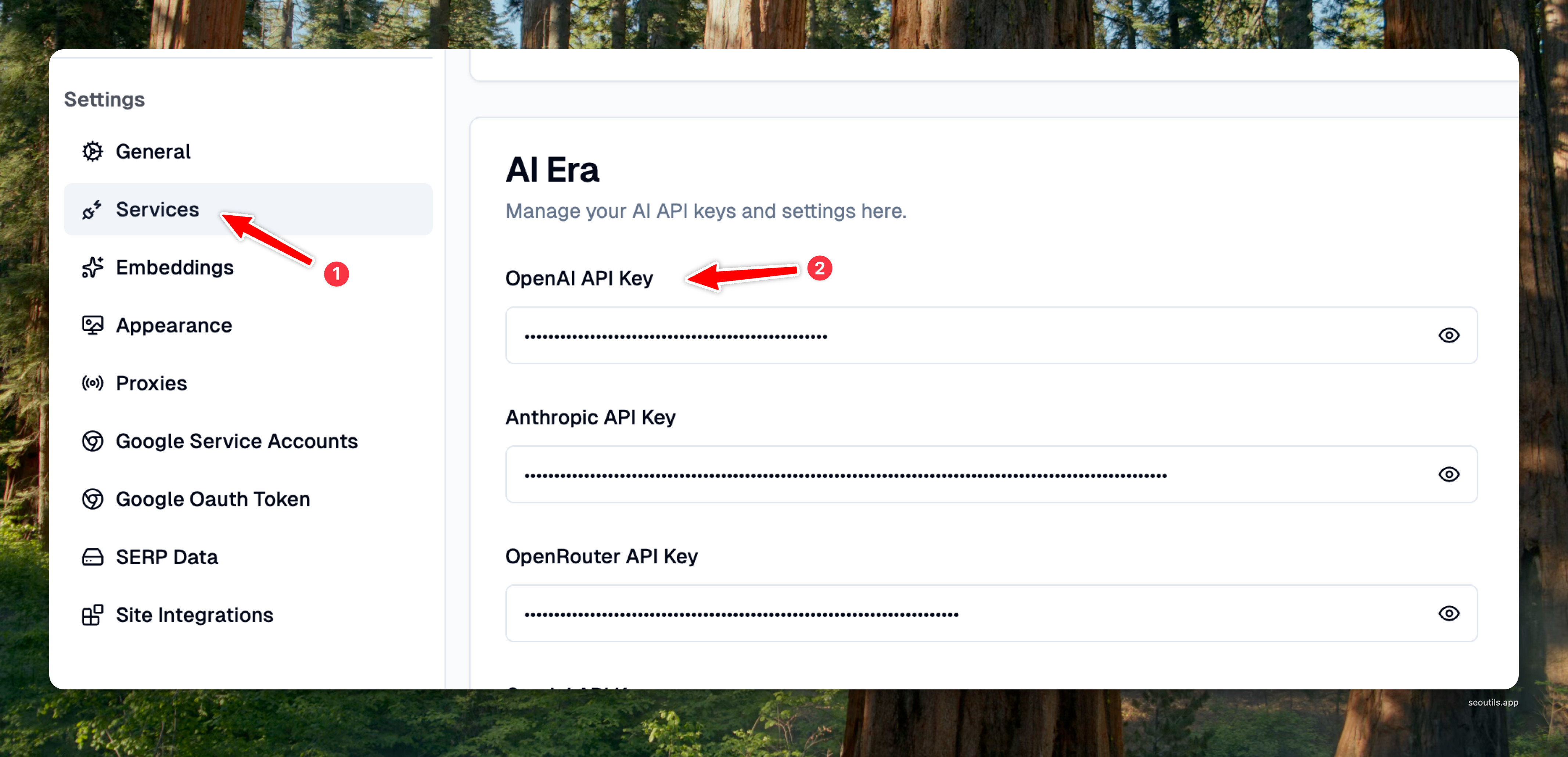
1. Ensure you have your OpenAI API key configured in the Services page
2. Select "OpenAI" as the provider
3. Choose your preferred model (Text Embedding 3 Small recommended for most use cases)
#### For Local Models (Ollama)
1. Install Ollama on your computer from [ollama.com](https://ollama.com)
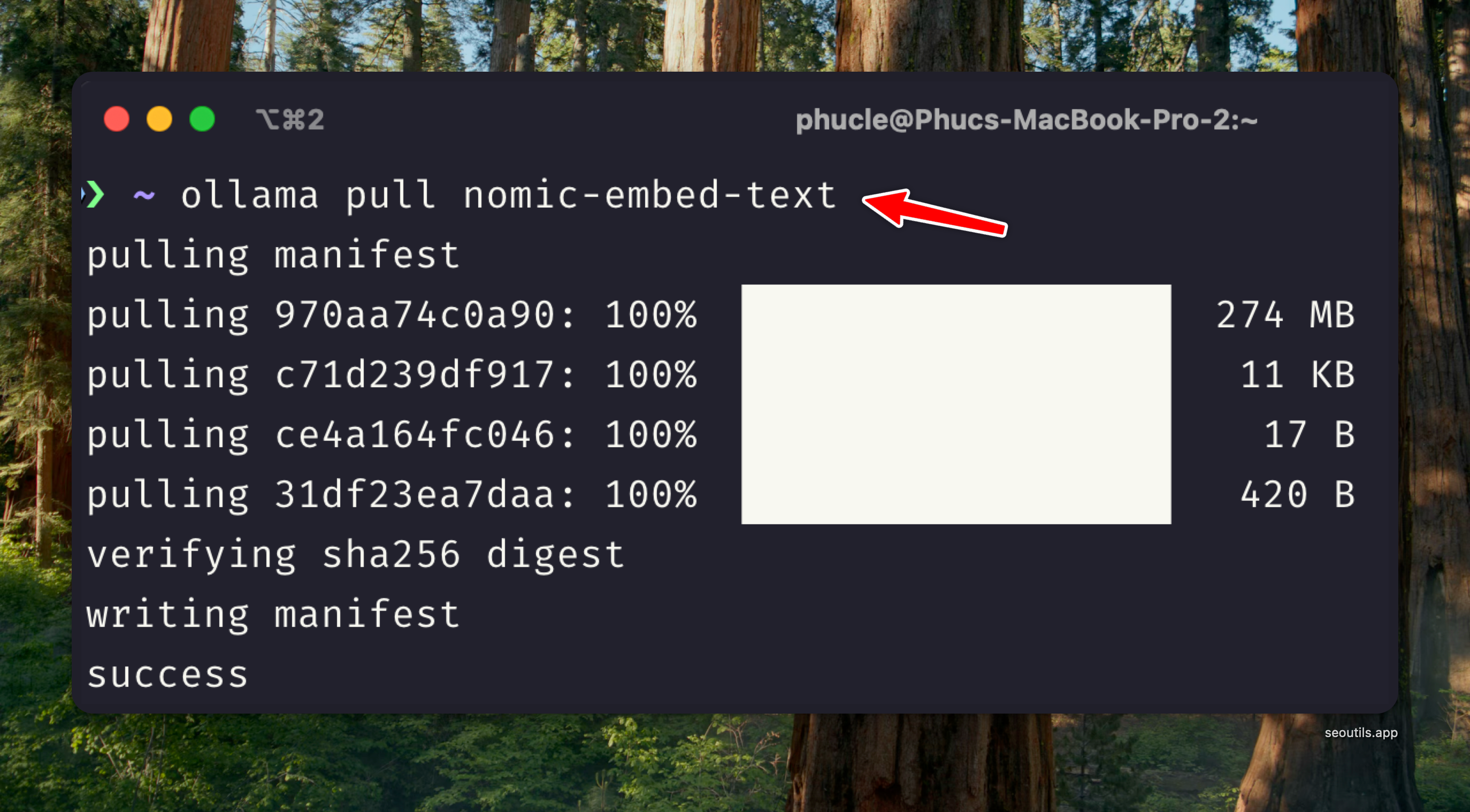
2. Open Terminal and pull the model you want to use:
```bash
ollama pull nomic-embed-text
```
3. Ensure Ollama is running (it runs in the background by default)
4. Select "Ollama" as the provider
5. Choose from installed models (unavailable models will be disabled)
Choose embedding model for each feature
### How Embeddings Are Stored
SEO Utils stores all generated embeddings in your local database. Once content is embedded, it won't be re-embedded again—saving API costs, processing time, and computational resources. This means you can experiment with different similarity thresholds and search queries without regenerating embeddings each time.
### Understanding Similarity Scores
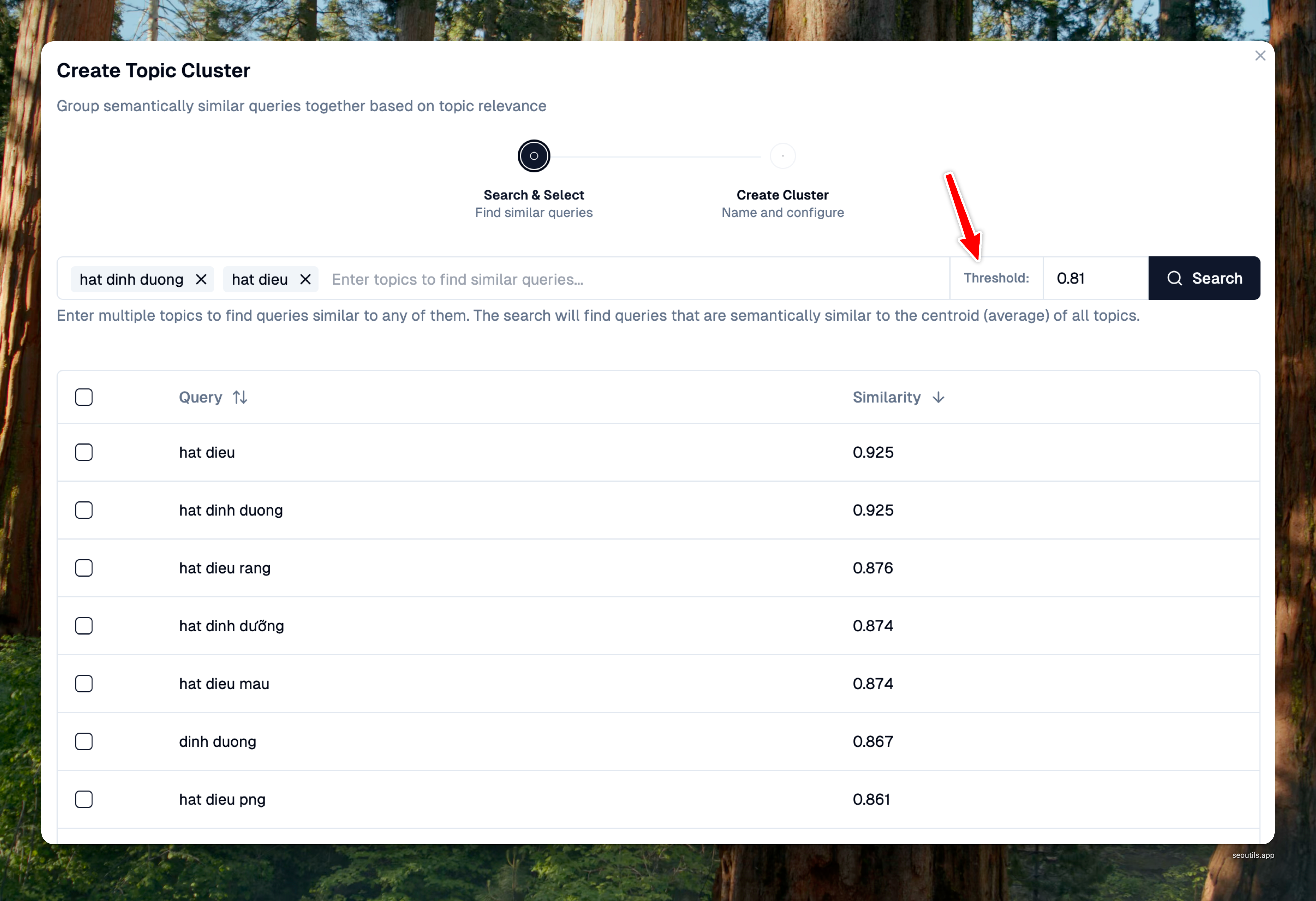
When using semantic search in most of the semantic tools, you'll work with **similarity score thresholds** that control how closely items must match:
* **Score range**: -1 to 1 (where 1 = identical meaning, 0 = unrelated, -1 = opposite meaning)
* **Finding the right threshold**: Each model and dataset combination requires different thresholds
* **Ollama models**: Typically need 0.8–0.9 for good matches with SEO data
* **OpenAI models**: Often work well with 0.7–0.9 (higher dimensions allow slightly lower thresholds)
* **Fine-tuning tip**: Use precise decimals (0.810, 0.825, 0.835) to find the sweet spot for your specific data
Similarity threshold is used in the Topic Cluster tool of the Google Search Console Queries.
### Available Features
Currently, SEO Utils uses embeddings for:
#### **1. Google Search Console Queries -** [**Topic Clusters**](/guide/google-search-console/topic-clusters.md)**:**
Generate embeddings for your search queries to enable semantic clustering. Group related queries by topic to analyze their collective performance.
#### **2. Internal Links Pages -** [**Internal Links**](/guide/google-search-console/internal-links.md)**:**
Generate embeddings for your crawled pages so the tool can tell which pages cover the same topic, then propose a sentence on each related page to add a link from.
{% hint style="info" %}
The two features are **independent**. Each picks its own model, and they never share vectors — so changing the model for one leaves the other's embeddings untouched.
{% endhint %}
{% hint style="success" %}
**Coming Soon**
* Topical Map Builder
* Semantic Clustering v3
{% endhint %}
### How to Choose the Right Model
#### **By Budget & Privacy:**
* **Zero cost + Maximum privacy:** Use Ollama models (all processing stays on your computer)
* **Pay-as-you-go + Fast processing**: Use OpenAI models (data sent to OpenAI servers)
* **Large volume processing**: Local models save money long-term despite slower speed
#### **By Language Requirements:**
* **English-only content**: Nomic Embed Text v1.5 (768D) or mxbai-embed-large (1024D)
* **Multilingual content**: BGE-M3 or Snowflake Arctic Embed v2 (both support 100+ languages)
* **Mixed content**: Text Embedding 3 Small offers good multilingual support with cloud speed
#### **By Computer Specs:**
* **Limited RAM (8GB)**: Use cloud models or stick to smaller embedding models (768D requires \~150MB per model)
* **Standard specs (16GB RAM)**: Can run all embedding models comfortably (1024D models need \~400MB)
* **Power users (32GB+ RAM)**: Run multiple models simultaneously or process large batches locally
* **Apple Silicon (M1/M2/M3/M4)**: 3-5x faster than CPU-only, with M3/M4 delivering best performance for local models
#### **By Use Case Complexity:**
* **Basic keyword clustering**: 768D models (Nomic Embed Text) are sufficient
* **Topic clustering & semantic search**: 1024D models provide better accuracy
* **Fine-grained content analysis**: Consider 1536D+ models for nuanced distinctions
* **Large query volumes (10,000+)**: Prioritize speed—use cloud models or accept longer processing
#### **Quick Recommendations:**
* **Most users**: Start with Nomic Embed Text (free, fast, good quality)
* **Agencies with client data**: Use local models for privacy compliance
* **High-volume operations**: OpenAI Text Embedding 3 Small balances cost and speed
* **Maximum accuracy needed**: Text Embedding 3 Large or BGE-M3